
JoyFun AI Photo Editor Workbench
Precision prompt-driven photo editing for creators: swap clothing, alter backgrounds, enhance skin clarity, and adjust studio mood in seconds.
Instruction-Based Photo Editing Without Manual Photoshop Masks
Built for users searching joyfun ai photo editor or joyfun ai image editor uncensored, this flow turns plain-English instructions into clean visual revisions.
Upload Source Image
Attach any portrait, AI draft, or scene still into the image editing workbench.
State What Changes & What Stays
Tell the model explicitly what to keep identical (face, pose, room angles) and what single element to swap (outfit color, lighting, backdrop).
Iterate Multi-Turn Fixes
Use the rendered edit as your next input frame to stack small refinements like hair color or eye-line tweaks cleanly.
Uncensored Editing Freedom for Swimwear, Cosplay & Fashion
Many online AI photo editors reject harmless swimwear retouches, corsets, or artistic lighting shifts. JoyFun lets creators edit fashion, cosplay, and mature aesthetics without sudden false-positive blocks.
Pair clean color-grading instructions like film contrast, soft gold rim light, or matte velvet fabrics to elevate flat smartphone selfies into studio portraits.
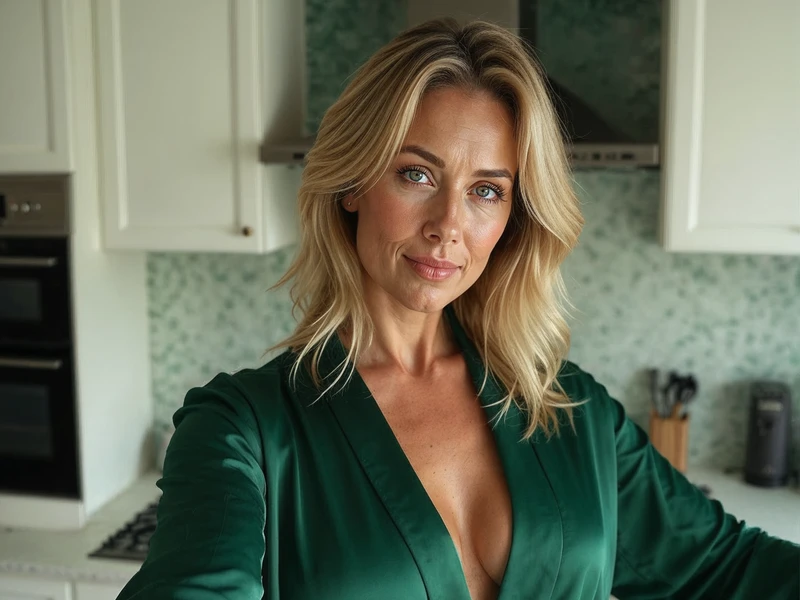
Wardrobe Color & Material Swap
Keep exact facial identity, pose, and bedroom lighting; change dress from white cotton to deep crimson satin slip with realistic creases.
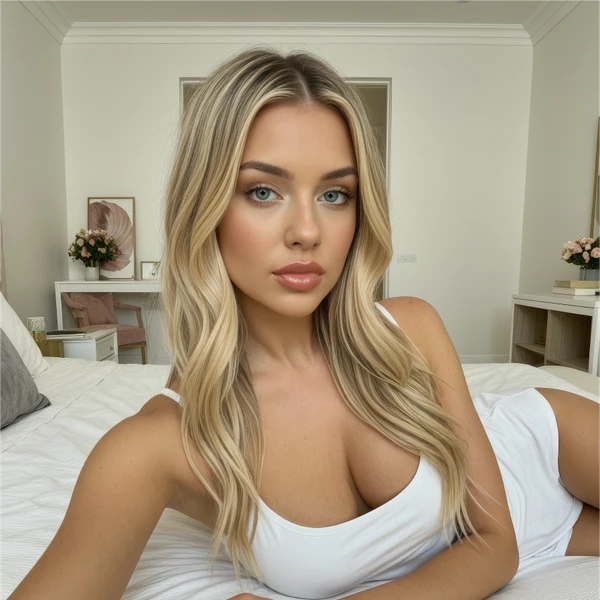
Golden Hour Backdrop Swap
Preserve subject perfectly; replace indoor wall with warm sunset balcony overlooking ocean horizon, natural golden rim light on hair.
Common JoyFun Photo Editor Recipes
| Edit Request | Key Prompt Anchor | Typical Result |
|---|---|---|
| Change outfit or bikini style | Keep face & hands unchanged, swap outfit to… | Preserves pose while re-draping fabric folds |
| Clean messy background | Replace clutter with soft evening café bokeh | Natural subject isolation & matching shadows |
| Relight harsh flash selfie | Soft golden hour side light, balanced contrast | Removes flat flash glare with natural skin tone |
Three Fast Instruction Prompts for Editing Portraits
Wardrobe Color & Material Swap
Keep exact facial identity, pose, and bedroom lighting; change dress from white cotton to deep crimson satin slip with realistic creases.
Golden Hour Backdrop Swap
Preserve subject perfectly; replace indoor wall with warm sunset balcony overlooking ocean horizon, natural golden rim light on hair.
Glamour Studio Polish
Sharpen eye catchlights, smooth uneven harsh shadows cleanly while retaining real skin pores, dark velvet studio backdrop.
Frequently Asked Questions
Common questions about JoyFun AI Photo Editor Workbench workflows.
Do I need brush masks to use the JoyFun AI photo editor?
No manual masking is required for most edits—clear natural-language instructions telling the model what to change and what to preserve handle masking automatically.
Does JoyFun censor swimwear or lingerie photo edits?
No. Mature fashion, swimwear, boudoir, and artistic edits run without intrusive mainstream blocks.
Can I animate an edited photo right afterward?
Yes, one click sends any finished photo edit directly into the image-to-video lane to generate a matching short clip.
What file formats work best for uploads?
Standard crisp JPG, PNG, and WebP portraits up to high-definition sizes work smoothly in browser uploads.
Explore Related JoyFun AI Workflows
Connect this tool cleanly with matching generators, prompt guides, and pricing.